← All guidesKa-ching!
Content budget
What's in the tank this month, and how we stop it running dry.
Where: Settings → Billing
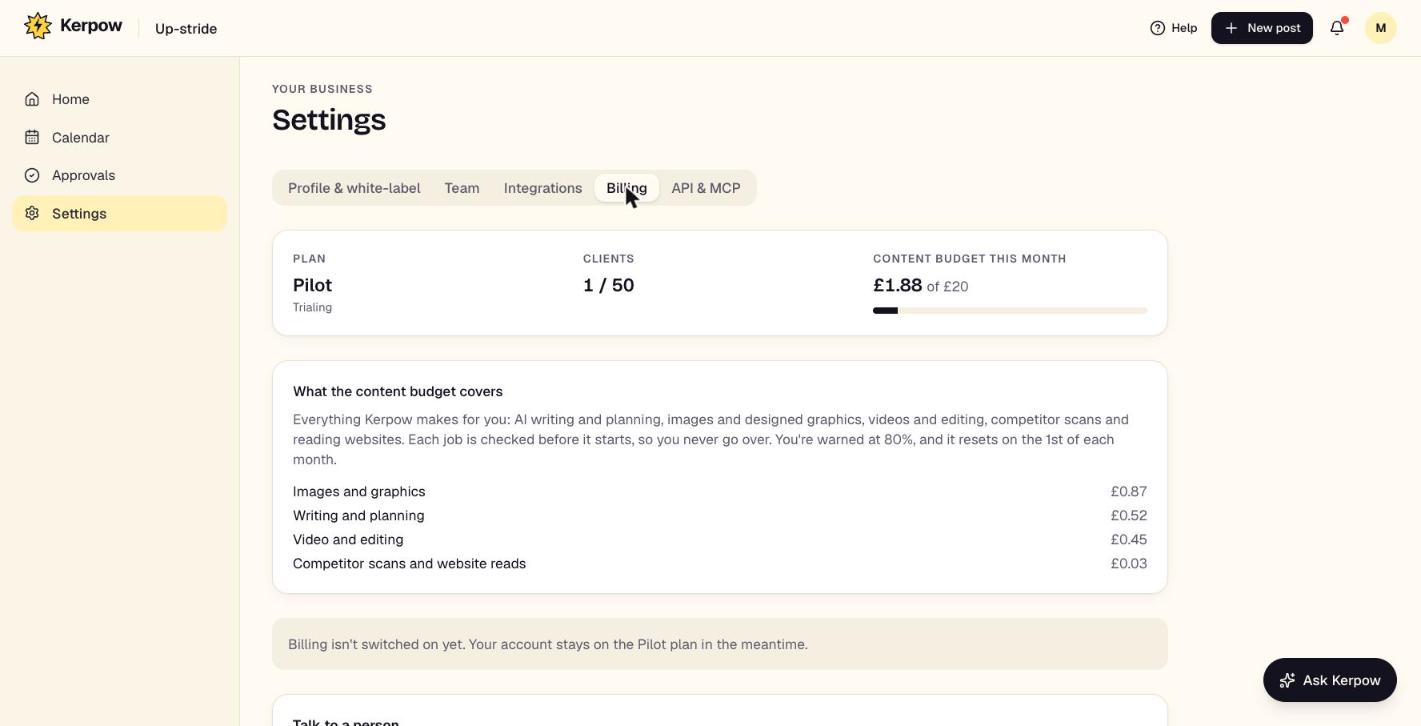
Each plan includes a monthly content budget that covers everything Kerpow makes: writing, images, videos, editing, competitor scans and website reads.
How to use it
- 1See how much is used, and on what, in Settings → Billing.
- 2Each job is checked before it starts: if it won't fit in what's left, it doesn't start and Kerpow says so.
- 3You're warned at 80%. The budget resets on the 1st of each month.
Kerpow!
Ready to make some noise?
Give Kerpow your website and get a brand kit, a plan and your first week of posts in minutes. 3 months free for our first 20 beta testers.