← All guidesKerpow!
Getting started
From website to posts going out, in about ten minutes.
Where: Your first ten minutes
Kerpow reads a website, builds a brand kit and a 90-day plan, writes the posts and makes the images, then publishes what you approve. This is the order to set it up in.
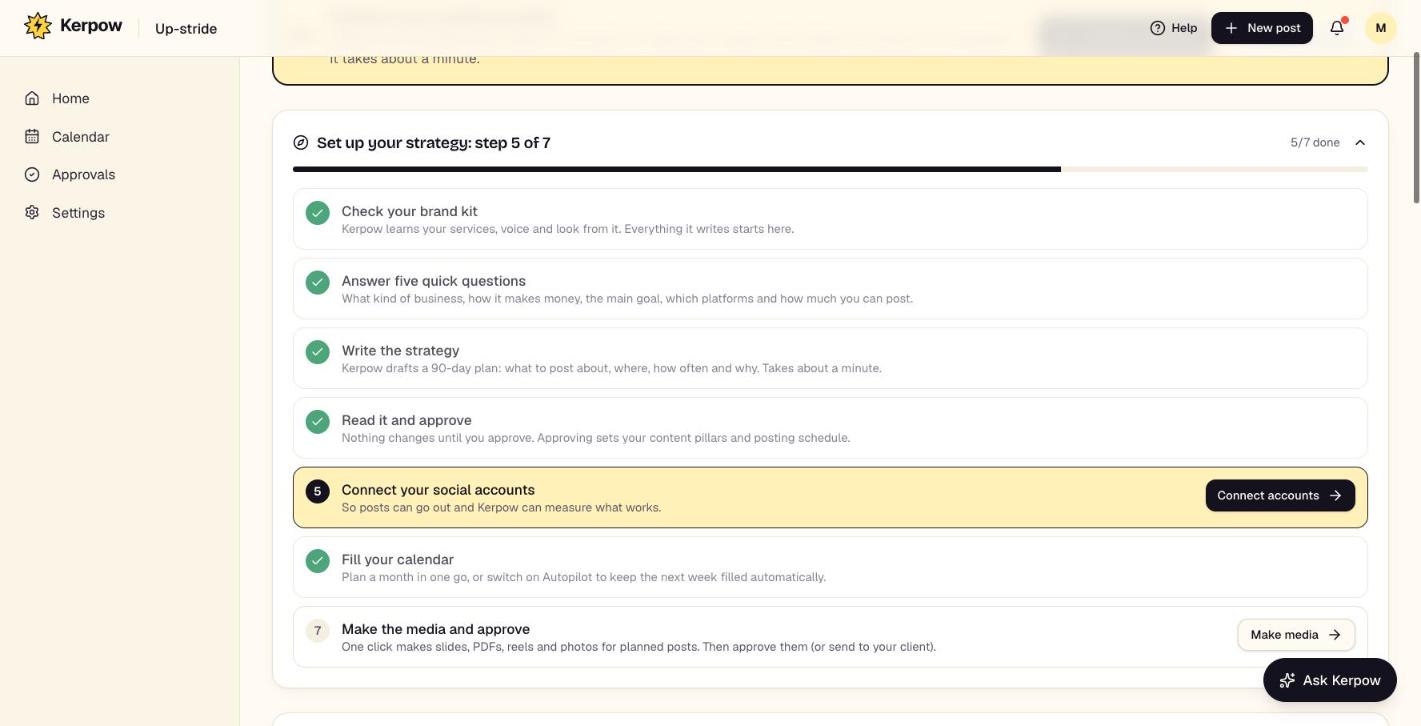
How to use it
- 1Add a client (or your own business) with its website. Kerpow builds the brand kit in about a minute.
- 2Check the brand kit in the Brand tab and press Publish version.
- 3In the Strategy tab, answer the five quick questions (or press Suggest answers), then Write the strategy and Approve it.
- 4Connect the social accounts from the yellow banner. You can plan and get posts approved before this; they only go out once accounts are connected.
- 5In the Calendar tab, press Plan my month. Kerpow makes every post's image or slides by itself, a few every 10 minutes.
- 6Review the drafts (swipe on a phone), send them for approval, and they publish at their planned times.
Kerpow!
Ready to make some noise?
Give Kerpow your website and get a brand kit, a plan and your first week of posts in minutes. 3 months free for our first 20 beta testers.