Inbox
Every message, comment and review in one place. Nobody left hanging.
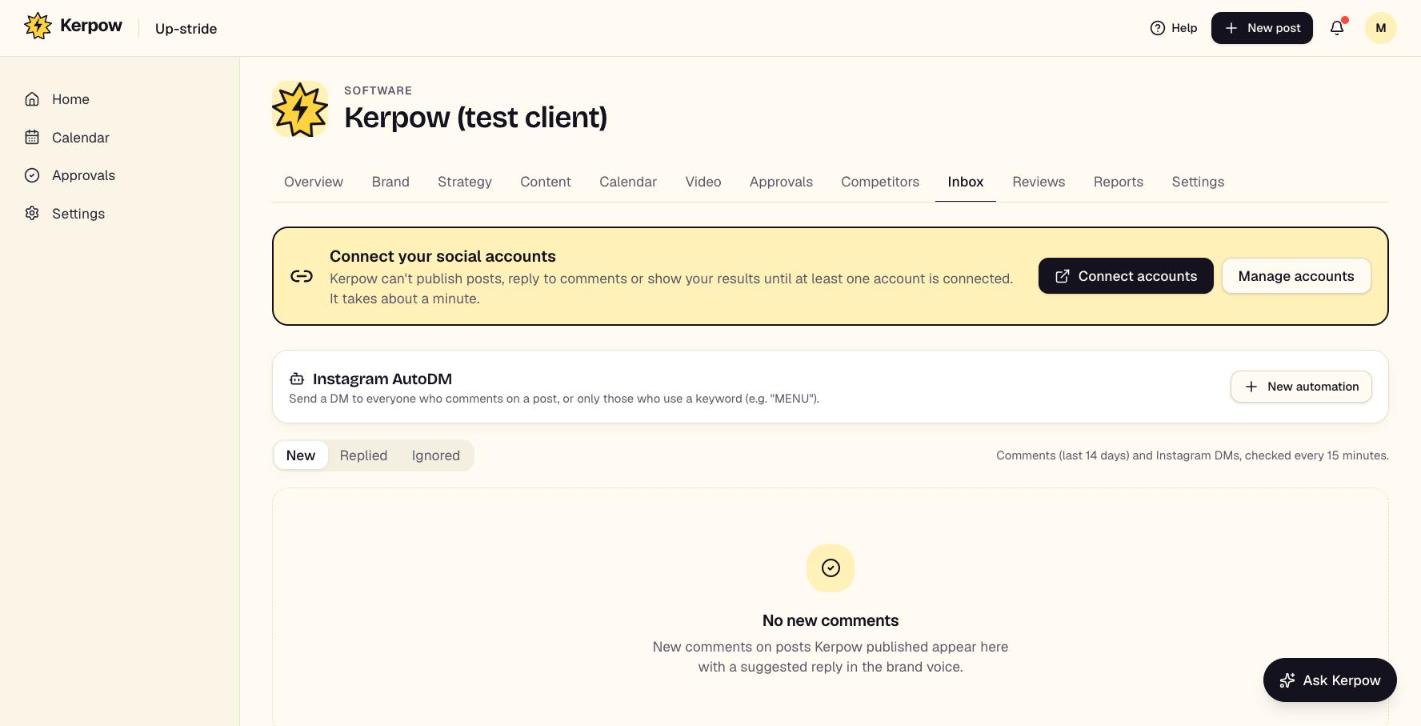
Where: Inbox in the sidebar (every client), or Client → Inbox
Instagram messages as full conversations, comments on your posts and Google reviews, each with a reply drafted in the brand voice. Assign them to a teammate and mark them done.
How to use it
- 1Open Inbox in the sidebar. The red number shows what's waiting for a reply.
- 2Kerpow drafts a reply as soon as something arrives (look for Reply ready). Open it, check or edit the reply, and press Send. Nothing is sent without you.
- 3Spam and scams (fake verification, phishing links) get no draft, just a Looks like spam label: mark them done.
- 4Assign anything to a teammate, filter to Mine, and Mark done what needs no reply.
What's on this screen
Needs a reply / Done
What's still waiting, and what's been answered or set aside.
Messages
Instagram DMs as conversations, with photos and story replies. Replies sent from the Instagram app show up too.
24-hour window
Instagram only lets businesses reply within 24 hours of the person's last message. Kerpow shows how long is left.
Instagram AutoDM
Automatic DMs for comments. Kerpow switches it on by itself when a post says "Comment GUIDE and we'll DM you"; you can also set one up in each client's Inbox tab.
Ready to make some noise?
Give Kerpow your website and get a brand kit, a plan and your first week of posts in minutes. 3 months free for our first 20 beta testers.