Turn good Google reviews into posts automatically, and ask customers for reviews by email or QR code, following UK rules.
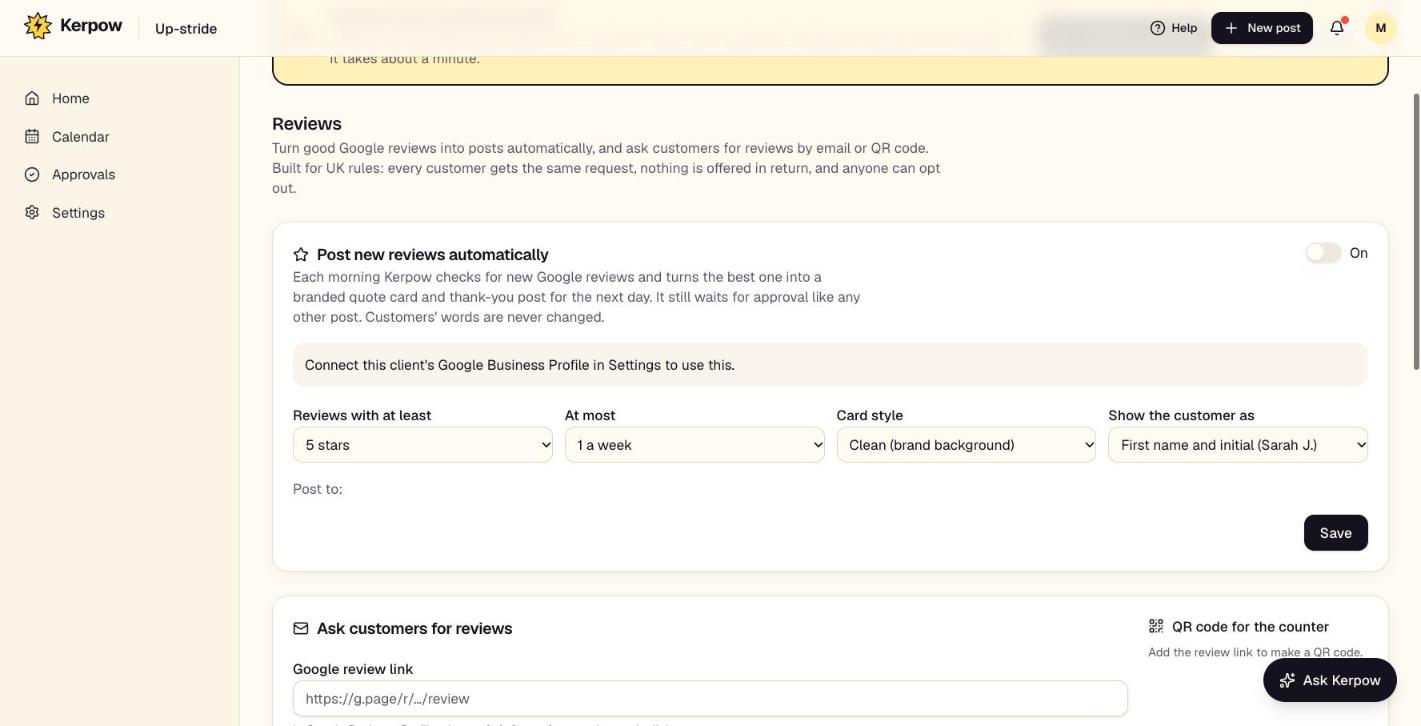
How to use it
- 1Connect the Google Business Profile in Settings.
- 2Switch on Post new reviews automatically and choose the minimum stars, how often and the card style.
- 3To ask for reviews, add the Google review link and message, then send requests or print the QR code.
What's on this screen
Post new reviews automatically
Each morning the best new review becomes a quote card post, waiting for approval.
Ask customers for reviews
Emails the same request to every customer, with reminders and an opt-out.
QR code
For the counter or receipts.
Kerpow!
Ready to make some noise?
Give Kerpow your website and get a brand kit, a plan and your first week of posts in minutes. 3 months free for our first 20 beta testers.