← All guidesSnoop!
Competitors
See what your rivals post, what works for them, and what they pay to promote.
Where: Client → Competitors
Keep an eye on competitors: their posts, how you compare on each platform, a weekly digest with ideas, and the ads they're running now.
How to use it
- 1Press Add competitor and enter their handle or profile link for each platform.
- 2Press Scan now (results arrive in a few minutes; scans also run every week).
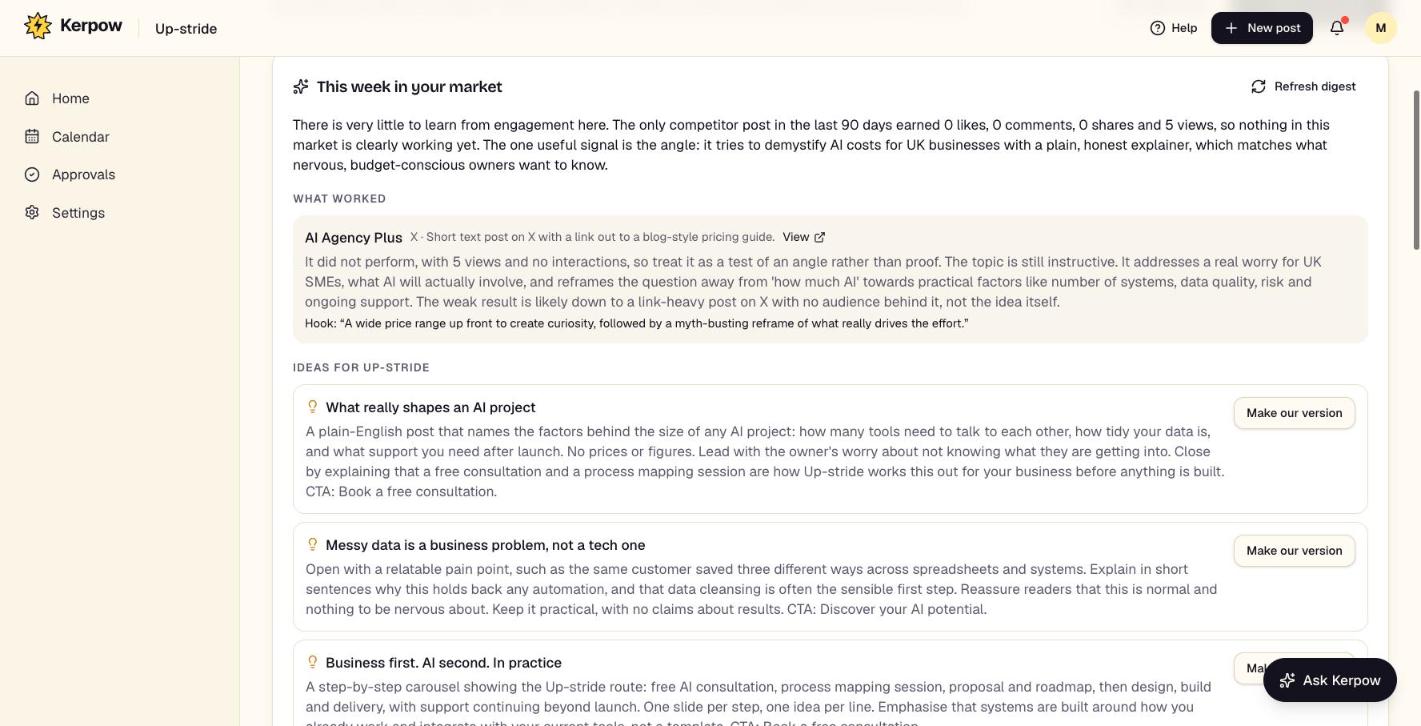
- 3Read This week in your market and use Write a post on any idea.
- 4Nothing else to do: each week Kerpow picks out the topics, formats and hashtags working for competitors and uses them in Plan my month, Autopilot and Ask Kerpow automatically (see What's working).
What's on this screen
This week in your market
A digest of what worked for competitors, with ideas to use.
How you compare
Posts per week, interactions per post and engagement, side by side.
Their ads running now
Live Facebook and Instagram ads from Meta's Ad Library. Long-running ads are usually the ones working.
Top posts
Their best recent posts, with links.
Kerpow!
Ready to make some noise?
Give Kerpow your website and get a brand kit, a plan and your first week of posts in minutes. 3 months free for our first 20 beta testers.