← All guidesThwack!
Approvals
Get a yes without the chasing.
Where: Approvals (sidebar) or Client → Approvals
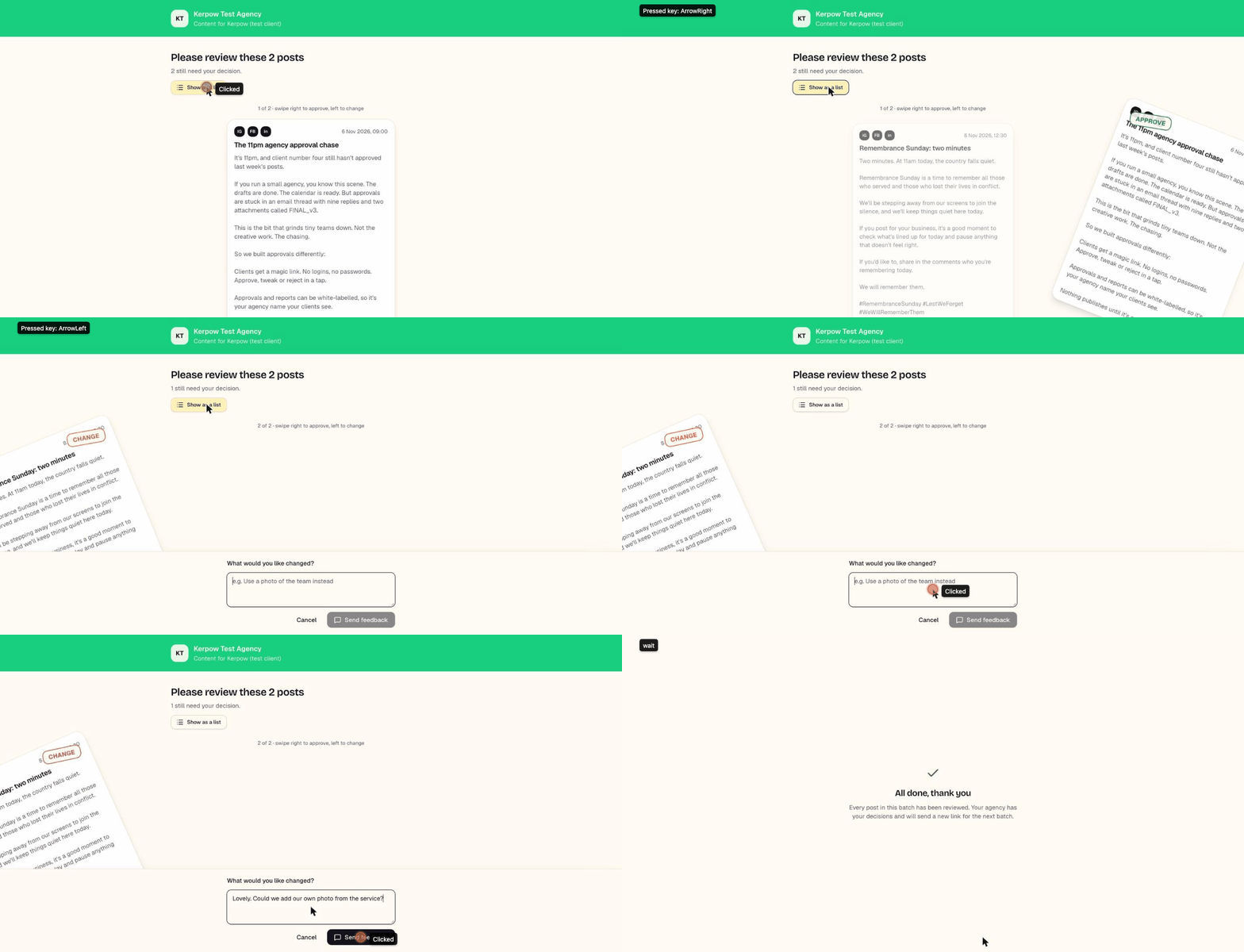
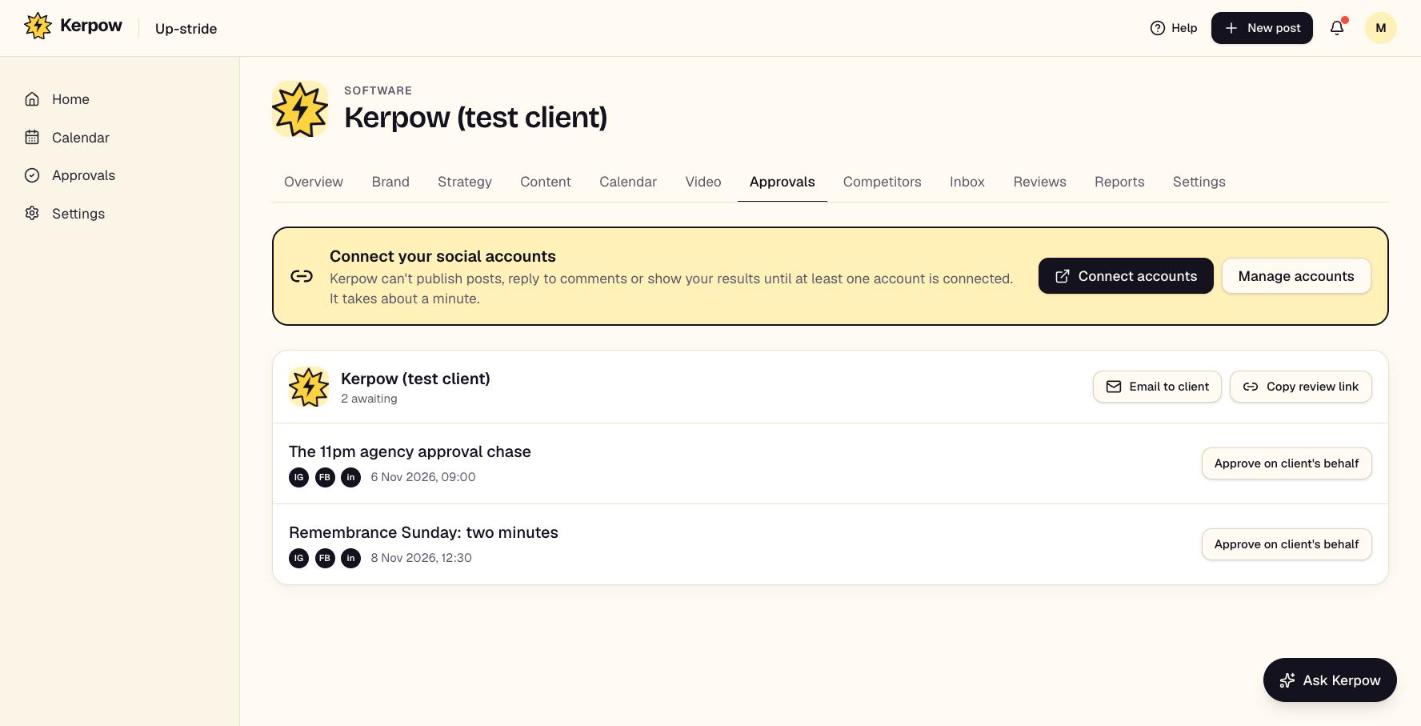
Everything waiting for a decision, and the ways to get it decided: email the client a link, copy the link, or approve on their behalf.
How to use it
- 1Press Email to client to send the approvers a link to everything waiting.
- 2Or press Copy review link and send it yourself (WhatsApp works well).
- 3Use Approve on client's behalf when they've said yes another way; add a note of how.
What's on this screen
Awaiting approval
Posts sent for approval, grouped by client.
Client review link
The client approves, comments or asks for changes, with no login. Swipe mode on phones.
Agency sign-off
If switched on in client settings, an owner or manager signs posts off before the client sees them.
Kerpow!
Ready to make some noise?
Give Kerpow your website and get a brand kit, a plan and your first week of posts in minutes. 3 months free for our first 20 beta testers.