← All guidesWhoosh!
Calendar
A month of posts in two minutes. Swipe through them over a coffee.
Where: Client → Calendar (or Calendar in the sidebar for everyone)
Plan, see and move posts by date. Plan a month in one go, let Kerpow add the images, and review drafts on your phone.
How to use it
- 1Press Plan my month: pick the month, posts per week and platforms. Drafts appear in about two minutes.
- 2Sit back: every post gets its image, slides or reel automatically, nearest date first. Images on the way shows how many are left.
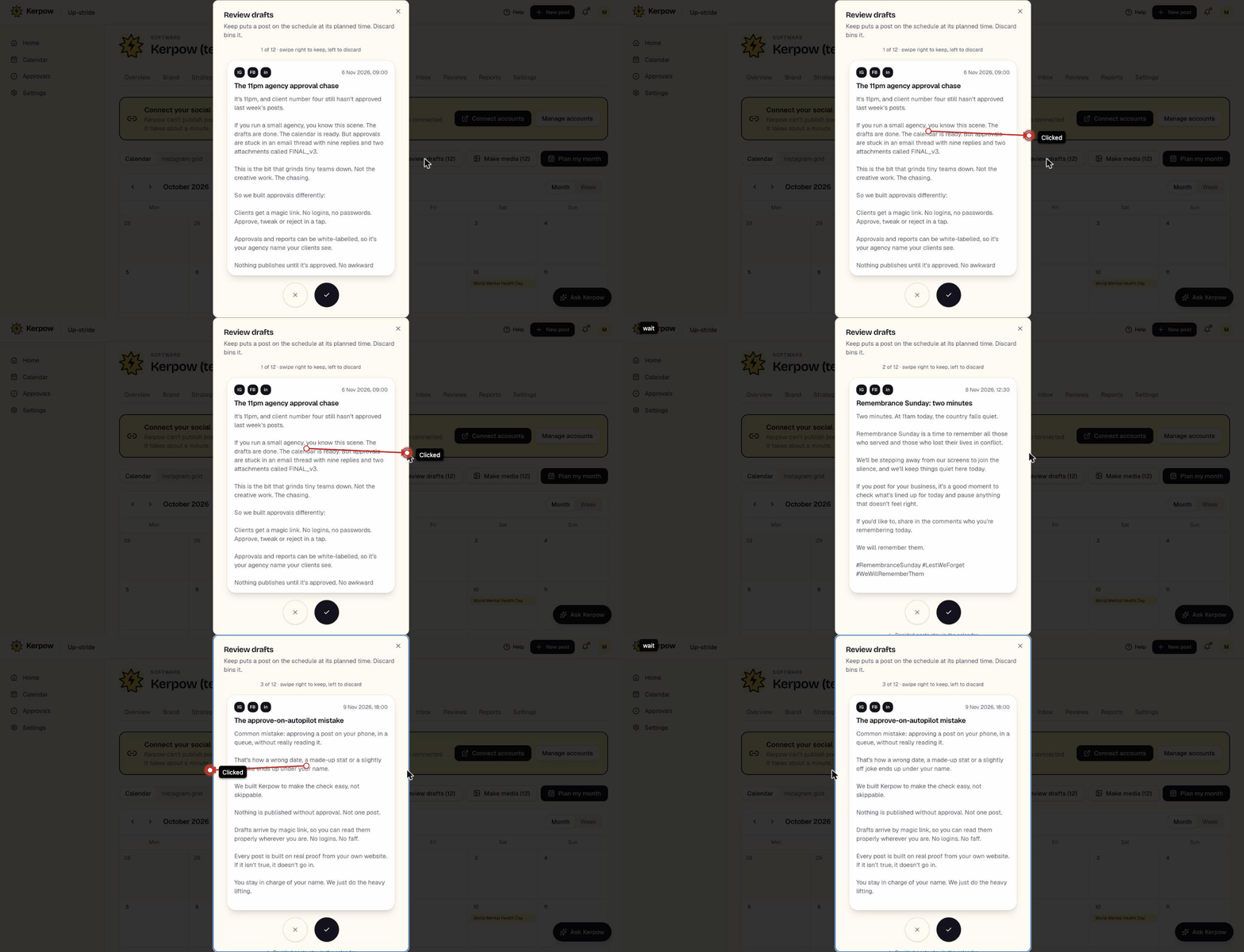
- 3Press Review drafts to keep or discard them one at a time (swipe on a phone).
- 4Drag a post to another day to reschedule it.
What's on this screen
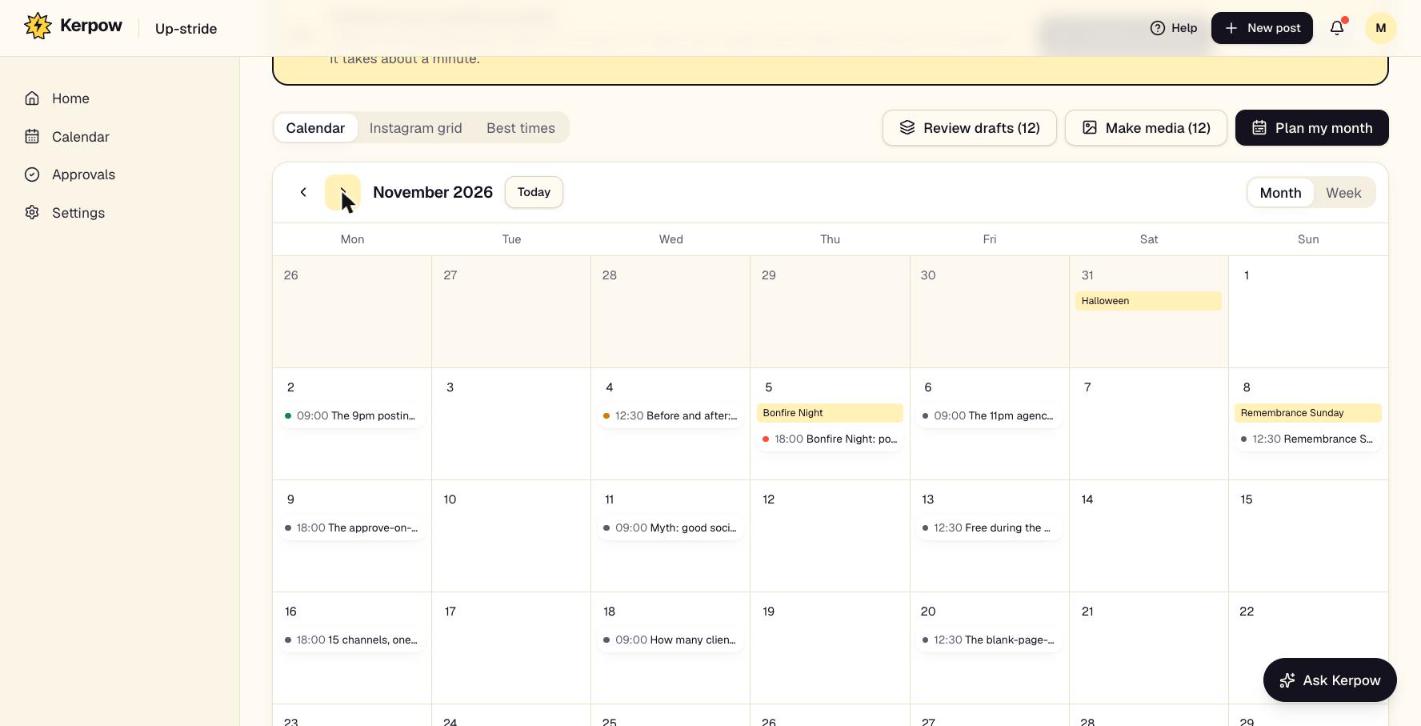
Plan my month
Writes a month of draft posts from the approved strategy.
Images on the way
Posts Kerpow is still making media for. It happens by itself; press it only to make them right now.
Review drafts
A card stack: keep (agencies: sends to the client; businesses: schedules it) or discard.
Instagram grid
How the Instagram profile will look.
Best times
When this client's audience engages most, from real results.
Kerpow!
Ready to make some noise?
Give Kerpow your website and get a brand kit, a plan and your first week of posts in minutes. 3 months free for our first 20 beta testers.