← All guidesPow!
Content
Every post in one place, and five ways to start a new one.
Where: Client → Content
Every post for this client in one list, filtered by status, plus ways to create new ones.
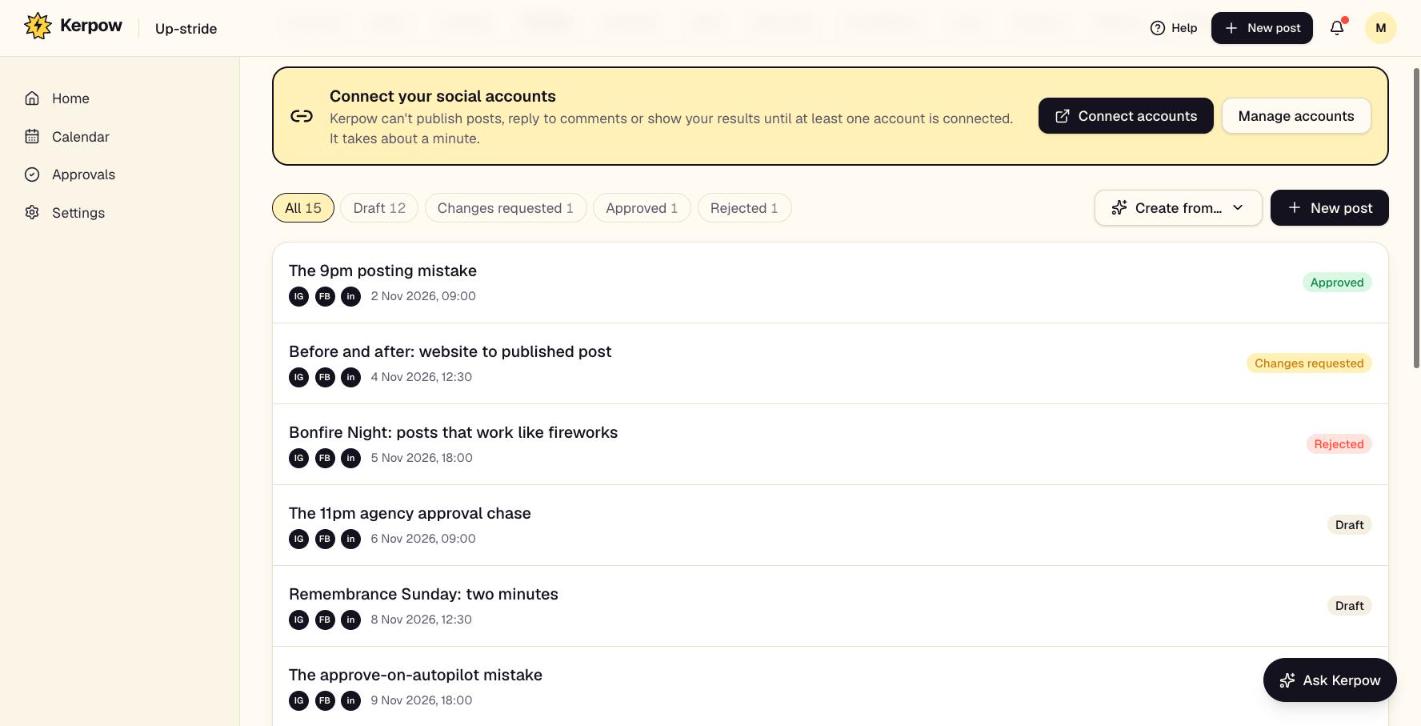
How to use it
- 1Use the status filters to find drafts, posts waiting for approval and so on.
- 2Click a post to open it in the editor.
- 3Press New post to write one yourself, or Create from… to start from a link, PDF, video, voice note or spreadsheet.
What's on this screen
Status filters
Draft, In review, Changes requested, Approved, Scheduled, Published.
Post editor
Write once and tweak per platform, add media or make images in Image Studio, and schedule or send for approval.
Create from…
Turn a web page, PDF, YouTube video, voice note, review or CSV of ideas into posts.
Past posts
Posts already on the accounts, including ones made outside Kerpow, to reuse.
Kerpow!
Ready to make some noise?
Give Kerpow your website and get a brand kit, a plan and your first week of posts in minutes. 3 months free for our first 20 beta testers.