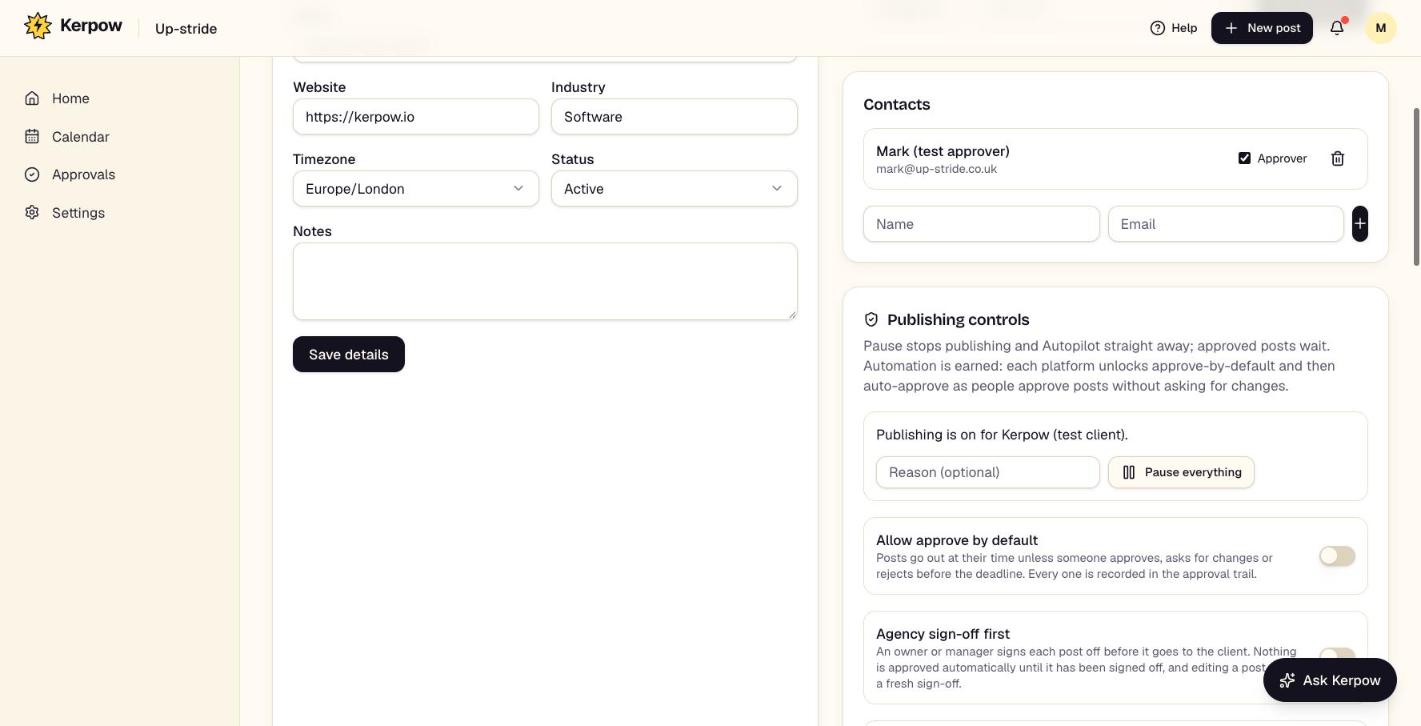
The client's details, connected accounts, approvers, publishing controls and budget, link-in-bio page, locations and Autopilot.
How to use it
- 1Connect each social account once with Connect accounts.
- 2Check the approvers under Contacts.
- 3Set the publishing controls and monthly budget, then switch on Autopilot if you want the next 7 days kept full.
What's on this screen
Social accounts
Connect, reconnect and choose the exact page or location.
Contacts
Approvers and people kept in the loop.
Publishing controls
Pause everything, approve-by-default, agency sign-off first, and the trust level each platform has earned.
Monthly budget
How much this client's media can cost a month, and how many AI videos Kerpow makes by itself (blank uses your plan's number, 0 turns them off).
Link-in-bio page
One page for the Instagram and TikTok bio link, with click counts.
Locations
Branches or franchisees, so one post can be copied to each with local details.
Autopilot
Keeps the next 7 days filled for each switched-on platform.
Ready to make some noise?
Give Kerpow your website and get a brand kit, a plan and your first week of posts in minutes. 3 months free for our first 20 beta testers.